Updated November 28, 2026 · About the publisher
Model at a glance
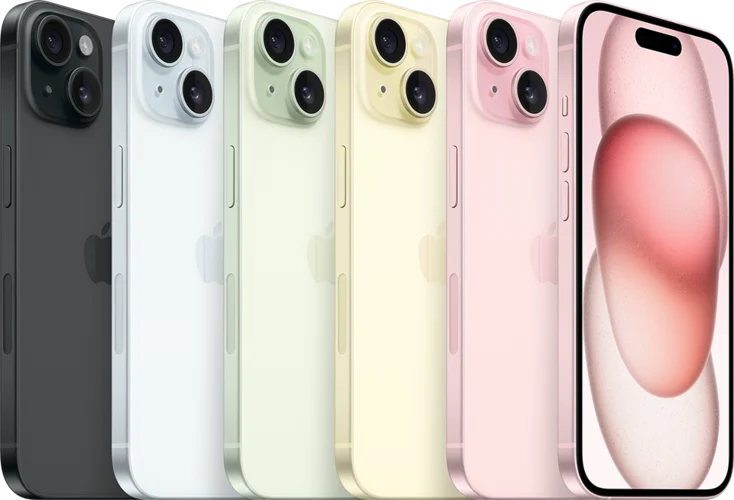
| Screen | 6.1-inch OLED |
|---|---|
| Storage | 128, 256 or 512 GB |
| Connector | USB-C |
| Main camera | 48 MP |
Apple’s technical specifications
Before accepting this model
Ask for the exact regional model. The U.S. iPhone 15 uses eSIM, so confirm that the carrier can activate it. Inspect the charging port, cameras and battery-health reading on a refurbished unit. Ask which cable and return rights come with the order.
Move an existing line to the iPhone 15
Keep the old phone available on Wi-Fi and follow the receiving carrier’s eSIM instructions. Before erasing or trading in the old handset, use another line to call your number, receive a text and check mobile data on the new phone. If the transfer stalls, have the carrier confirm which device has the active line.
Will it work with your provider?
Ask the carrier to check the specific handset’s IMEI through its official compatibility tool before you transfer a number. An unlocked device still needs to support the carrier’s network. Confirm whether the company will issue a physical SIM or activate an eSIM and whether either option has an upfront fee. Keep your old line active while a number transfer is pending.
Get the offer in writing
Request the exact model and storage capacity, condition, amount due at checkout, shipping, return window and warranty. For an advertised zero-dollar handset, ask whether a new line or transfer is required. A Lifeline approval applies to service. It does not reserve this model or establish a device price.
Compare iPhone offers or compare provider charges.
Before moving your number to eSIM
Have the receiving carrier confirm activation for your exact model. Keep the old line active until you can call, text and use mobile data on the new line.
Eligibility, documents and application steps
For a Lifeline phone plan, check whether someone in your household participates in SNAP, Medicaid or another qualifying program, or meets the income limit. Prepare current proof if verification is requested. After approval, ask the carrier to confirm the model, SIM, any one-time charge and monthly plan in writing.
- Check Lifeline eligibility if you also need monthly service.
- Use the document checklist for Lifeline proof requests. Separate equipment programs issue their own instructions.
- Choose your application route and keep the confirmation number.
Compare compatible phone models
For a mobile line, compare the handset size, activation method and charging connector. Ask the carrier to check the exact model before you transfer your number.